Problem
Feature guide
A color wheel app that keeps harmonies at fixed angles
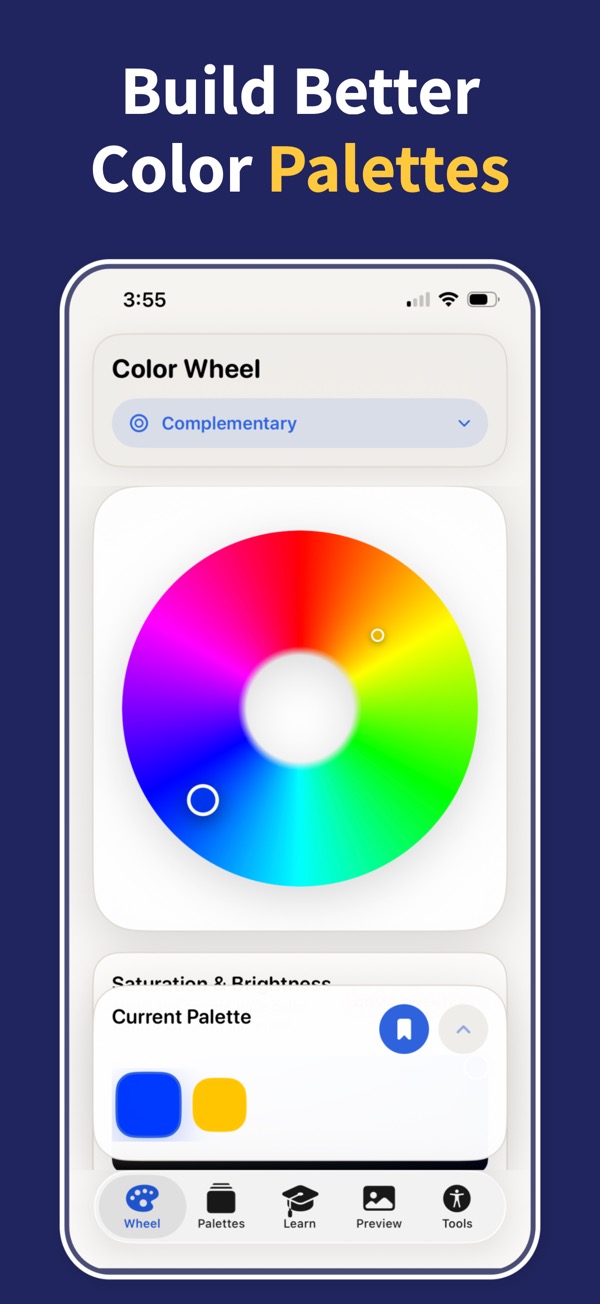
Color Wheel & Palettes is a free color wheel app for iPhone and iPad. Each harmony sits at a fixed angle from your base hue, so a scheme still holds when you rotate it to another color: drag the marker or type a HEX code to set the base, then compare all six harmony types on the same wheel.
 Scan to download
Open the App Store directly on your iPhone or iPad.
Solution
Harmony angles are fixed, so the relationship you picked on one hue survives when you move the marker somewhere else on the wheel.
What you can do
A color wheel app that keeps harmonies at fixed angles
- Six harmony types share one wheel: complementary opposite the base, analogous beside it, split-complementary, triadic at even thirds, square at even quarters, and monochromatic up and down a single hue.
- A painter’s RYB mode reorders the hues the way mixed pigment behaves, which is what you want when the palette ends up in paint, ink, or illustration rather than on a screen.
- HSB controls move hue, saturation, and brightness separately, so you can take a whole scheme lighter or duller without losing the angles that hold it together.
- Each swatch carries its HEX and RGB value, ready to copy as you go.
- Contrast pairs can be checked against WCAG AA and AAA before you commit, with suggestions when a pair falls short and a color-blindness preview of the finished palette.
- Palettes save to a library that syncs over iCloud — three on the free tier, unlimited with Pro, which also adds export to Procreate swatches, Adobe ASE, CSS variables, Tailwind, SwiftUI, and design-token JSON.
For which scheme to reach for rather than how the wheel places it, the color harmony tool guide walks through complementary, triadic, and analogous palettes in practice.
Once the palette is settled, exporting color palettes covers which file format fits which handoff.
Want to try a harmony right now? Use the free online color wheel in your browser, no download needed.
Questions
Questions
Which harmonies does the color wheel app show?
Six: complementary, analogous, split-complementary, triadic, square (also called tetradic), and monochromatic. Each one is a fixed set of angles rather than a hand-picked set of colors, so you can rotate the whole scheme to any base hue and the relationship between its colors stays the same.
Is the color wheel free to use?
Yes. The app is free to download for iPhone and iPad on iOS 17 or later, there is no account to create, and the wheel and all six harmony types work right away. The palette library syncs over iCloud and holds three palettes on the free tier; Pro lifts that limit and adds file export.
What is the RYB mode for?
RYB follows the hue order painters work with, where the opposite of blue is orange. On a digital RGB wheel the opposite of blue is yellow instead. Switch to RYB when the palette is heading for paint, ink, or physical media, and leave it off for screen work.
Can I start from a photo instead of a hue?
Yes. Pick a picture from your photo library and the app pulls out five distinct colors. From there you can move any of them on the wheel, run a harmony from one of them, or drop two into a gradient.
Can I try the wheel before installing anything?
Yes. The color wheel on this site runs in any browser with no account and uses the same harmony angles as the wheel in the app, so a palette you build in the browser looks the same once you install it.
How do the colors get into a design file or code?
Copy a single HEX or RGB value from any swatch, or export the whole palette with Pro: Procreate swatches for illustration, Adobe ASE for design tools, CSS variables or Tailwind for the web, SwiftUI for iOS code, and design-token JSON for a shared system.
Turn color theory into finished palettes
Download Color Wheel & Palettes and build harmonies, gradients, accessible contrast pairs, and export-ready colors from your iPhone or iPad.